20120719

Raspberry Pi - Raspbian, Wheezy & sound

first SD card image based on the Raspbian distribution

Good:

  • based on Wheezy,
  • ssh enabled by default,
  • raspi-config makes it easy to extend the image to the entire sd card, configure how much memory goes to graphics etc.,
  • sound driver is loaded automatically,
Bad:
  • can't get audio to work from python-pyao, doesn't want to open any device i tried, even installed pulse (but audio isn't broken as mpg123 works fine...).

20120709

Arduino + Canbus shield + GPS Receiver


Ingredients:
Also required:

  • soldering iron
  • patience & basic soldering skills (to solder the headers onto the Canbus shield)
  • arduino software
  • computer, car/van etc.

Things to keep in mind:

  • when you want to stop logging: press on the joystick until the leds go out so that the file on the sd card is properly closed
  • make sure to reset if you plugin before starting the engine, not all pids are available at that point
  • with the engine off my engine runs at 280 rpm...
  • powered from the canbus, so i disconnect before leaving the vehicle in case it would drain the battery


Still todo:

  • solder on the lcd display, build an interface that shows fuel consumption
  • see if there is a more efficient way to log all available sensors (on startup  check which pids are available and then log all of the available ones)
  • print a case
  • sleep mode: if the engine is off (or rpm is 280 for a couple of times in a row), switch all leds off, switch off the gps (if possible), check every n seconds if the engine was started etc.


20120624

Raspberry Pi - alsa

Install alsa:

  • sudo apt-get alsa

and make sure that the module is loaded:

  •  sudo modprobe snd-bcm2835

20120623

Raspberry Pi - ssh


Using the Debian squeeze image from http://www.raspberrypi.org/downloads

I'd like to be able to run it headless, need ssh running automatically after boot:
  1. ssh-keygen (answer the prompts)
  2. sudo update-rc.d ssh default
  3. sudo reboot
or

  1. cd /boot
  2. sudo mv boot_enable_ssh.rc boot.rx
  3. sudo reboot


20120617

Robot hand from seven parts - 2 (some photos)


The finger bend both ways: the finger tips can therefore are either pads or sharp.

From the base of the wrist to the tip of a finger is about 27cm. If i ever get to build the entire robot it'll be approx 2m70 high...

Robot hand from seven parts - 1

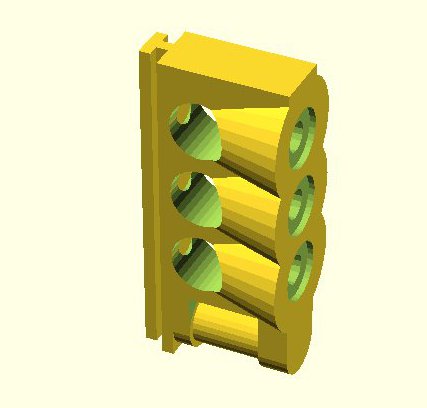
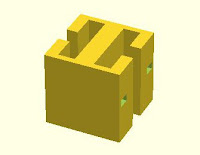
Take one or more of each of the following parts, snap or friction fit them together and you get a robot hand!

Snap the first two together to create a rotating joint:


Hold a couple of those together with a connection piece and you get finger:
At one end of the finger place a finger tip:
Give the thumb an additional degree of rotation:

 Use a spacer between the fingers...
when you slide them on the wrist, then snap the thumb on and the hand is ready.

Partslists:

Part 1 Part 2Part 3Part 4
Part 5Part 6Part 7


Finger:
  • Part 1 : 3
  • Part 2 : 3
  • Part 3 : 3
  • Part 4 : 1

Thumb:

  • Part 1 : 4
  • Part 2 : 4
  • Part 3 : 4
  • Part 4 : 1
  • Part 5 :1

Hand:

  • Part 1 : 16
  • Part 2 : 16
  • Part 3 : 16
  • Part 4 : 5
  • Part 5 : 3
  • Part 6 : 4
  • Part 7 : 1


20120516

Installing SImpleOpenNI for an Asus Xtion


  • follow the instructions from simple-openni/wiki/Installation
  • OpenNI installs very quickly, on to Nite
  • which fails with a " niReg: error while loading shared libraries: libOpenNI.so: cannot open shared object file: No such file or directory."" error 
  • but the file is there! Google for it: reboot or run "ldconfig -v", "ldconfig -v" it is
  • now Nite installs
  • install the Sensor
  • and 'install' SimpleOpenNI = copy the files across - easy!
  • and then we go and find some sample code to run!